
-
How to Get Accurate Canon Colors in Lightroom

Our readers often ask us if it is possible to get Lightroom to provide the same colors as one would see from camera-rendered JPEG files when shooting in RAW format. Unfortunately, as you might have noticed when importing files, Lightroom changes the colors immediately after import, when the embedded JPEG files are re-rendered using Adobe’s […]
-
How to Upgrade Lightroom 2 to Lightroom 3
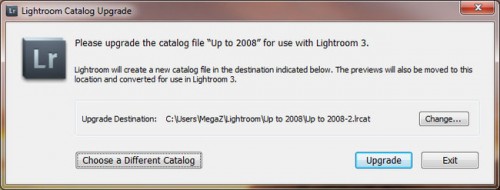
This is a quick guide on how to upgrade Lightroom 2 to Lightroom 3. One of the good news for Lightroom 2 (LR2) users, is that unlike the beta version, the full version of Lightroom 3 (LR3) allows upgrading the LR2 catalog to LR3 catalog without having to re-import all images into a clean catalog. […]
-
How to Fix Blank Images in Lightroom

Have you ever had a situation when you opened Lightroom and all thumbnails and images appeared blank? After discovering that the memory on our main PC was bad, I switched over my Lightroom catalog to my laptop for temporary access to be able to retrieve images to our clients. I opened a backup copy of […]
-
How to Stack Two Vertical Images in Photoshop
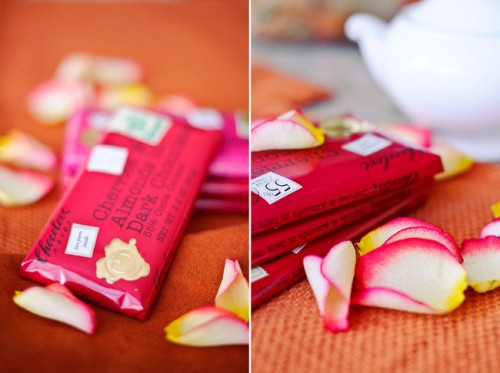
While Nasim is working on posting another big article on how to create a photography blog, I decided to jump in and write a quick tutorial on how to stack two vertical images in Photoshop, also known as “diptych”. I hope those of you, who already have a blog or will be creating one soon […]
-
How to Smoothen Skin and Get Rid of Blemishes

Many of our readers ask me how I smoothen skin and get rid of blemishes. While the manual process below is fairly simple, there are some available presets and programs that could be utilized to help streamline the process for photographers. Many professionals though (including myself) prefer to have a full control over the image […]
-
How to Convert Portraits to B&W with Lightroom 4
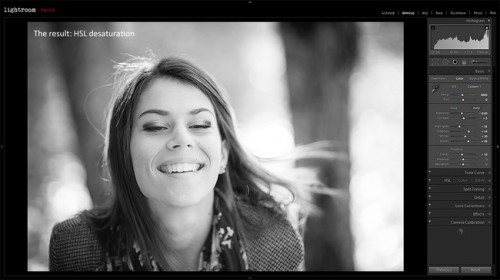
In this tutorial I will show you how to convert a portrait (shot in RAW format) to a black & white image using Lightroom 4. By the end of the tutorial, and with some practice, I hope to teach you how to have full control over the look of your B&W images. While I chose […]
-
How to Use the Basic Panel
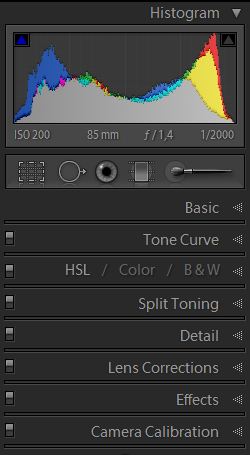
Lightroom has many features that can easily confuse those who are new to it. While the program offers plenty of different editing opportunities, in order to achieve the best results and user experience, it is important to understand the very basics of Lightroom. In the series of upcoming short articles, I will try to explain […]
-
How to Use the Tone Curve Panel
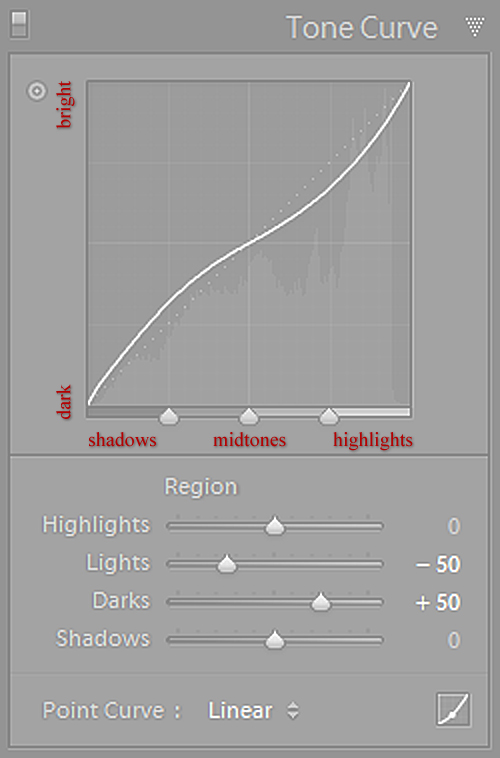
In this short tutorial I will show you how to use one of the easiest and most powerful tools found in Lightroom – the Tone Curve. In my previous tutorial about black & white conversions, I briefly showed you how to use the HSL Panel’s Luminance section to control the lightness of separate colors of […]
